Europass CV Word File | Create Your Professional, ATS-Friendly Resume
Table of Contents
- Introduction to the Europass CV
- How to Create a Europass CV
- Useful Tools and Templates for Europass CV
- Features and Benefits of a Europass CV
- Frequently Asked Questions (FAQs)
- What is the Europass CV?
- How do I create a Europass CV?
- Is the Europass CV ATS-friendly?
- Can I customize my Europass CV?
- Additional Tips for Building an Effective Resume
- Conclusion
- Sources
Introduction to the Europass CV
Developed as part of the broader Europass framework, the Europass CV is designed to help European citizens clearly communicate their skills, qualifications, and experiences in a standardized format. This CV is especially useful when applying for positions within the EU or when pursuing international careers. Employers and education institutions across Europe find the Europass format familiar and easy to understand, making it an indispensable tool for job seekers.
The standardized layout not only helps recruiters quickly identify your qualifications but also simplifies the process of comparing candidates on an equal footing. With the increasing reliance on ATS for initial resume screening, having an ATS-friendly format can significantly enhance your job prospects.
You can also read : Europass Editar CV
How to Create a Europass CV
Building a Europass CV is a straightforward process designed with user experience in mind. The online builder provides step-by-step guidance that ensures your CV is both visually appealing and information-rich. Follow the steps below to create your own Europass CV:
- Create Your Europass Profile:
Begin by setting up your Europass profile. Include all relevant details such as your education history, professional training, work experience, and skills. This profile serves as the foundation of your CV. - Select Relevant Information:
Choose the specific sections you wish to feature on your CV. Tailoring the information to the role you seek is essential. - Design Your CV:
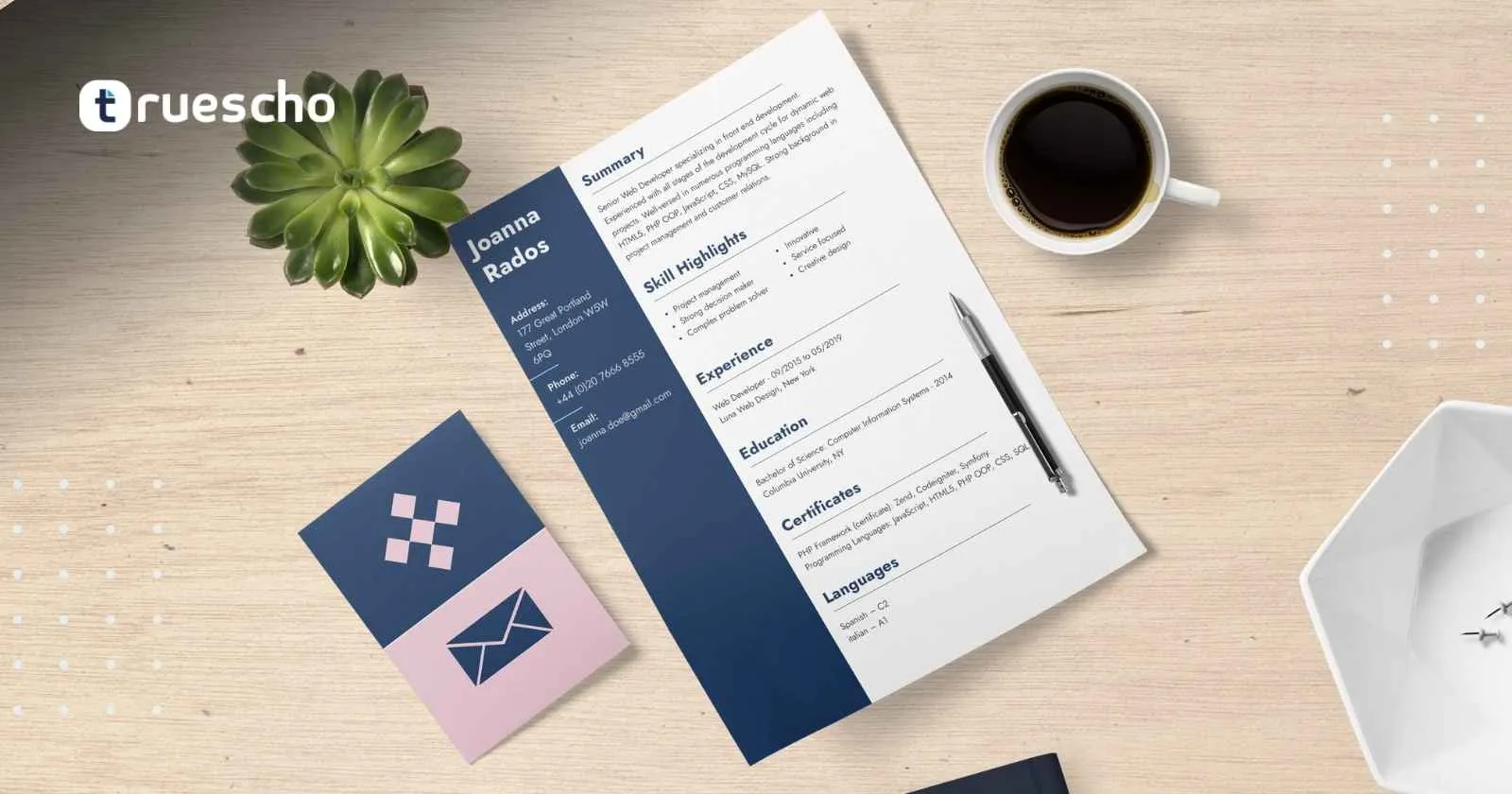
Select a design template that reflects your personal style while adhering to the standardized format. A balanced design makes your resume easy to read and ATS-friendly. - Download and Share:
After completing your profile and design adjustments, download your Europass CV in either Word or PDF format. This flexibility ensures that your CV meets the submission criteria of various job application platforms.
When finalizing your CV, it is crucial to emphasize your skills and accomplishments by using strong action verbs such as “managed,” “developed,” or “increased.” Avoid overly complex language and keep your sections concise so that potential employers quickly understand your expertise and career trajectory.
You can also read : How To Create Europass CV
Useful Tools and Templates for Europass CV
The job market today calls for both efficiency and professionalism. Here are some valuable resources that can assist you in crafting the perfect Europass CV:
- Europass CV Templates: Access free and downloadable CV templates directly from the official Europass website or trusted sources online.
- Online CV Builders: Utilize online tools that guide you through the creation of your CV, making it simple to insert your personal data and customize your design.
- Word Templates: For those who prefer offline editing, free Word templates provide additional customization options that let you fine-tune your resume according to the job you are targeting.
Additionally, explore other customizable templates available for platforms like Google Docs. For instance:
- Konnekt CV Templates: Visit our free CV templates page to download a range of professionally designed resume templates.
- Google Docs Templates: Ample selection of free CV templates are available on Google Docs, providing flexibility and ease-of-use for creating your resume.
These tools help job seekers quickly build a professional resume that is visually pleasing, easily navigable by ATS systems, and optimized for the competitive European job market.
Features and Benefits of a Europass CV
The Europass CV offers numerous advantages that make it ideal for modern job seekers. Understand the key benefits below:
- ATS Friendly: The clean and standardized structure of the Europass CV is inherently compatible with most applicant tracking systems. This ensures that your resume passes the initial screening processes.
- Standardized Format: Employers and institutions across Europe recognize and understand the Europass format, making the review process smoother and faster.
- Multilingual Support: Create your CV in up to 31 languages, expanding your opportunities if you are applying for international positions.
- Easy Customization: While the structure is standardized, there is room for personalization. Highlight your unique qualifications, and adjust sections as required to suit your career goals.
To further illustrate the distinct features of the Europass CV, consider the following comparison with a traditional resume format:
| Feature | Europass CV | Traditional CV |
|---|---|---|
| Format | Standardized and recognized across Europe | Highly flexible and customizable |
| ATS Compatibility | Built to be ATS-friendly | May need extra adjustments to pass ATS filters |
| Language Support | Up to 31 different languages | Depends on the template used |
| Design Flexibility | Limited design variations | Extensive customization options |
This comparison shows that while traditional resumes offer design flexibility, the standardized layout and multilingual support of the Europass CV are significant assets when applying for international and EU positions.
You can also read : Online CV Maker Europass
Frequently Asked Questions (FAQs)
What is the Europass CV?
The Europass CV is a standardized, widely recognized resume format used throughout Europe. It allows individuals to systematically present their skills, qualifications, and work experience in a format that is easily understood by employers and education institutions.
How do I create a Europass CV?
Creating a Europass CV is simple. You can start by building your profile using the Europass online builder. Enter details about your education, training, work experience, and skills, customize your design, and then download the finished product in either Word or PDF format.
Is the Europass CV ATS-friendly?
Yes, one of the major benefits of the Europass CV is its compatibility with most applicant tracking systems. Its clear and consistent structure allows automated tools to read and evaluate your resume efficiently.
Can I customize my Europass CV?
Absolutely. While the CV follows a standardized format, it still allows room for personalization. You can customize sections to emphasize your unique strengths and tailor your resume for the specific job you are applying for.
Additional Tips for Building an Effective Resume
In today’s competitive job market, a well-crafted resume is more than just a summary of your qualifications. It should reflect your career aspirations and clearly communicate your achievements. Here are a few additional tips to consider:
- Tailor Your CV: Modify your resume for each job application to emphasize the experience and skills most relevant to that particular role.
- Keep It Concise: Avoid lengthy paragraphs; use bullet points to present information clearly so that hiring managers can quickly scan your achievements.
- Use Action Verbs: Describe your accomplishments using dynamic language – for example, “managed,” “implemented,” “streamlined,” or “orchestrated.”
- Proofread: Ensure there are no typos or grammatical errors. A clean, error-free resume demonstrates professionalism and attention to detail.
- Utilize Available Resources: Take advantage of free templates and online tools to ensure your resume looks professional and adheres to the latest industry standards.
By incorporating these strategies, you can craft a resume that not only passes ATS filters but also leaves a lasting impression with recruiters.
Conclusion
Crafting a CV is a straightforward yet powerful way to get noticed in today’s competitive job market, particularly when applying for positions within the EU. With the standardized structure, multilingual support, and adaptability to ATS requirements, a CV gives you the ability to present your qualifications in a clear and professional manner.
By following the outlined steps—from setting up your profile and selecting the appropriate sections to downloading your final document—you can create a resume that highlights your unique strengths and sets you apart from the competition. Remember to utilize free resources like the free CV templates and the described online tools to optimize your resume further.
Start your journey today by building your CV and take the necessary steps towards landing your dream job. For more detailed guidance on resume building and industry best practices, explore additional resources available on our site.
Sources