DAAD Portal 2025: Login & Uploads
You’re eager. You want a smooth ride through the DAAD scholarship portal, right? Here’s the thing: many applicants hit a wall at login or document upload. But you won’t. By the end of this guide, you’ll know exactly how to access, log in, upload your files, and track your DAAD scholarship application—without a hitch.
In this article, you’ll learn how to create your DAAD portal account, choose the right language, upload documents in the correct formats, and monitor your status. You might be wondering how tight the deadlines are or what common pitfalls to avoid (yes, people often skip a simple step). Stick around—it’s simpler than it looks.
Table of Contents
- Why the DAAD Scholarship Portal Matters
- Creating Your DAAD Portal Account
- Logging Into the DAAD Scholarship Portal
- Uploading Your Documents
- Tracking Your Application Status
- Common Portal Pitfalls & How to Avoid Them
- Advanced Tips for Power Applicants
- Future Trends in the DAAD Scholarship Portal
- FAQ
- Q: What is the DAAD scholarship portal?
- Q: Can I change uploaded documents later?
- Q: What if I miss the deadline?
- Q: Do I need German proficiency?
- Q: How do I contact DAAD support?
- Conclusion
Why the DAAD Scholarship Portal Matters
Imagine a gateway to Germany’s top research funding—open to you. That’s exactly what the DAAD portal offers. It’s your digital concierge for applications, document uploads, status checks, and more.
Without it, you’d be stuck sending emails and attachments back and forth. MINDIA centralizes every step.
“Applicants should register early on the DAAD portal and carefully follow the step-by-step instructions to avoid common mistakes during uploads and submissions.” – DAAD official webinar 2025
Read also : DAAD Requirements for PhD 2025
Creating Your DAAD Portal Account
First things first: registration. You might be wondering what details are needed. Let me explain.
- Visit the DAAD Official Site and click “Scholarship Portal”.
- Select “Register as a new user” and choose English unless you’re fluent in German.
- Fill in your name, email, and date of birth (must be under 32 at grant start).
- Set a strong password and confirm your address.
- Verify your email link within 24 hours—no procrastinating.
After activation, you’ll see your dashboard. Feels good, right? Now let’s log in.
Logging Into the DAAD Scholarship Portal
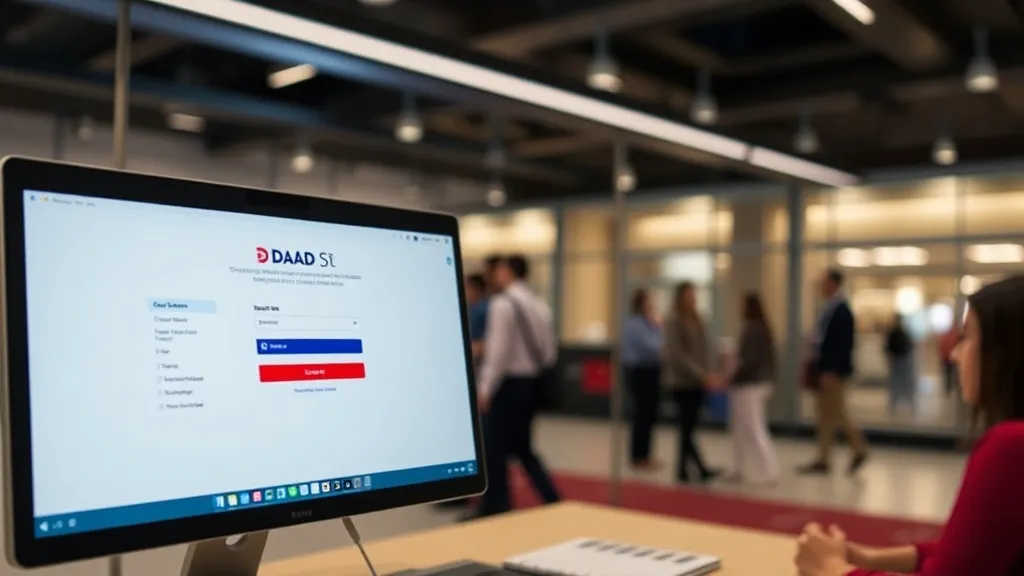
Logging in should be a breeze. But unexpected errors can pop up. Ever clicked “Forgot password”? Happens to the best of us.
Follow these steps:
- Go to the portal login page.
- Enter your email and password.
- Complete the CAPTCHA (yes, even you).
- Click “Login” and wait for the dashboard.
“Ensuring a well-defined study or research project and establishing contact with a German host institution significantly increases chances of success.” – Scholarship advisor, 2025
If you’re locked out, hit “Forgot password” and follow the reset instructions. Need extra help? Contact support via the “Help” tab.
Uploading Your Documents
Here’s where many stumble. What formats? How big can files be? Let’s clear that up.
Required documents include transcripts, a research proposal, CV, language certificates, and letter of motivation. All must be in PDF format, max 5 MB each.
Follow these steps precisely:
- Click “My Applications” and select your scholarship type.
- Upload each document in the correct field. Don’t mix them up.
- Use the “Preview” function to check alignment and readability.
- Hit “Save” after each upload to avoid data loss.
- Review the checklist at the bottom before final submission.
Once everything is green, submit. Congratulations—you’re on your way.
Tracking Your Application Status
Congratulations! You’ve applied. What’s next? Regularly checking status is key.
On your dashboard, find the “Status” tab. There you’ll see:
- Received
- Under Review
- Decision Made
Notifications will pop up for missing documents or interview invites. And another thing—set up email alerts under “Profile Settings”.
Read also : DAAD Base: Beginner’s Guide
Common Portal Pitfalls & How to Avoid Them
Even the savviest tech users can slip. Let’s tackle the top three issues.
- Captcha Failures: Refresh the page or try another browser.
- Upload Errors: Check file size and format again.
- Session Timeouts: Save work frequently—or risk losing progress.
Simple fixes can get you back on track.
Advanced Tips for Power Applicants
Ready to level up? Here are expert strategies:
- Reach out to potential supervisors early. A host contact letter boosts your score.
- Customize each application field. Generic answers won’t win—honestly.
- Keep backups of every upload. Unexpected glitches happen.
- Use the portal’s built-in language tools for translations (if needed).
Interestingly enough, interdisciplinary proposals now get extra attention. Think beyond your department.
Future Trends in the DAAD Scholarship Portal
The portal evolves yearly. Expect:
- Enhanced mobile access for on-the-go uploads.
- AI-driven status predictions (beta testing).
- More funding lines for emerging fields like AI ethics.
Stay tuned via the DAAD Study & Research newsletter.
FAQ
Q: What is the DAAD scholarship portal?
A: It’s a centralized online system (Mindia) where international students apply for DAAD funding, upload documents, and track their application.
Q: Can I change uploaded documents later?
A: Yes, until final submission. Just delete the old file and upload the new PDF.
Q: What if I miss the deadline?
A: Late submissions aren’t accepted. Plan to finish uploads at least 48 hours early.
Q: Do I need German proficiency?
A: Only for programs taught in German. English-taught courses require an English certificate.
Q: How do I contact DAAD support?
A: Use the “Help” tab in your portal or email the DAAD service center listed on DAAD Contact.
Conclusion
Mastering the daad scholarship portal ensures you spend less time on technical hurdles and more on crafting your research proposal. We’ve covered account setup, login, uploads, tracking, and advanced tips. Now it’s your turn to take action:
- Create your portal account today.
- Gather and format all documents in PDF, under 5 MB each.
- Upload, submit, and track your status before August 29, 2025.
You’ve got this. The portal is ready—now make your scholarship dream a reality on the DAAD scholarship portal.